You have paid your suppliers in China or any other country in overseas, but they claim they haven’t received the payment. Meanwhile, your bank confirms that the transaction was processed. Now, you’re left wondering: How do I prove to the suppliers that the payment has already been made?
This is where the MT103 becomes essential. The MT103 is basically your proof of payment that you can use to confirm a transfer, track delays, or resolve a dispute. It shows all transfer details, including when and where the funds were sent. It’s usually used with SWIFT international payments.
In this article, we will explain what the MT103 is, how it works, what information it provides, how to read its fields, and where to find it.
What Is an MT103?
An MT103 (Message Type 103) is a document that contains a message banks use to complete a SWIFT international transfer between one account to another. It is also referred to as an “MT103 Single Customer Credit Transfer.”
An MT103 can be used as proof of payment and is recognised by institutions worldwide. It includes a detailed record of all the standardised information banks used to make transfers and can provide the recipient with transaction details, including any applicable fees and currency exchange rates.
What Can You Use an MT103 For?
You can use the MT103 document
To keep clear payment records: It gives you a detailed and organised record of your international transfer, so you know what was sent and when. This reduces the risk of disputes. A common issue is when the amount received differs from the amount sent, often due to fees deducted by intermediary banks during the transaction. The MT103 can help you track this discrepancy.
As proof of payment: The MT103 acts like an official receipt, confirming that your funds were sent. This can help if you need to resolve any disputes or keep track for auditing purposes.
To track your payment: MT103 comes with a unique reference number, which banks can use to track and verify a payment’s progress if delays or discrepancies occur.
If you are expecting a payment from a client or a refund from a supplier, you can request an MT103. This document confirms that the transfer has been initiated.
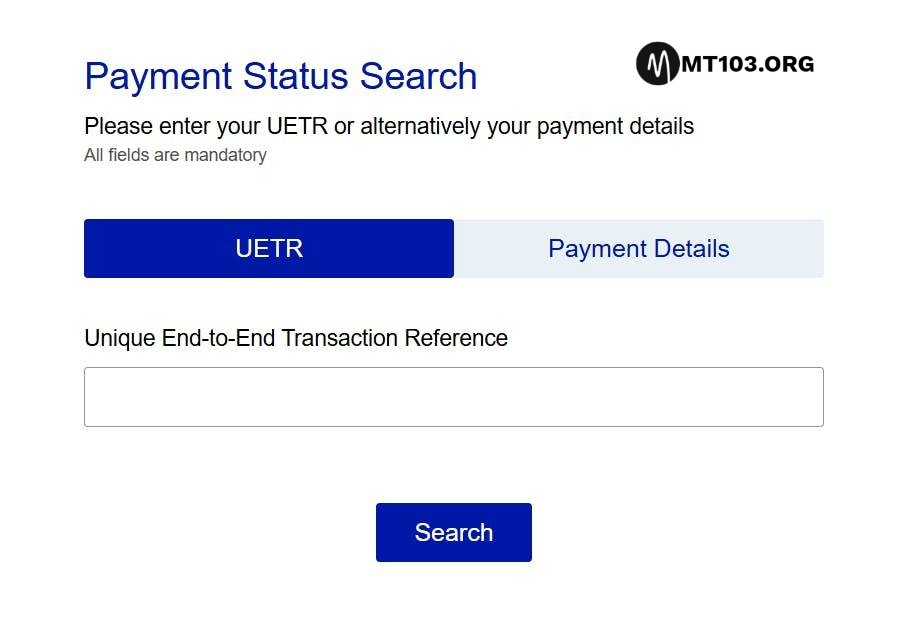
Note: An MT103 means that the payment has been initiated and sent, but it does not necessarily mean it has arrived. To confirm where the payment is, you use a unique reference number found on the MT103 and enter it in the bank tracking tools. To get the tracking tool or to have the software and be able to perform PACS008 (MT103) MX SWIFT ISO20022, kindly contact us.
That’s all on PACS.008 [MT103]: ISO 20022 SWIFT MX message Guide, kindly share if you find this article helpful.
We are already in the new year and many are already looking for how to make money, here is how to make money using flash funds and carding (OTP Bypass).
What Is Flash Funds?
Flash Funds is a new fraudulent method scammers and hackers use to obtain digital or physical goods without actually paying the seller, a cybercriminal can use this to defraud crypto seller in crypto exchange P2P, the seller will bear the loss after the designated period for the payment elapse. Learn more and how this works here.
What Is Carding?
In general term, Carding is the illegal practice of obtaining, trafficking, or using someone’s credit card information to withdraw money, use it to pay for goods online or take advance cash without authorization—often to purchase gift cards or prepaid cards. Carding contributes to identity theft, financial losses for individuals and businesses, and a wide range of other cybercrimes. Learn more here
How To Make Money Using Flash Funds And Carding (OTP Bypass)
If you are looking for how to make money using flash funds and carding bypassing otp security/verification then you need to learn how it works and follow the instructions to perfectly understand it before diving into the act to avoid mistakes that will not be good.
To do flash funds, you need the bank account flashing software, there is also a way you can use pacs.008 iso20022 mt103 SWIFT payment software to do this, contact us for more information.
You can use the carding software to hack any bank account in the world so far it has a credit card or debit card linked to it, all you need is just the card information and boom, that’s it.
You can also use the flash funds software to flash money into any bank account available balance in the world, many use this to close deals, contracts, buy goods online or offline. The flash funds is of two types, one disappears while the other is through the new PACS.008 system to manipulate it.
Want to learn how to make money using flash funds and carding bypassing OTP? this is article is for you, if you have any questions, endeavour to contact us.
Many have asked us severally, How Does an MT103 Work?, for those asking How Does MT103 Work?, we have decided to make this article to explain more on MT103 SWIFT Payment System now PACS.008 ISO20022 Payment and how it works.
How Does MT103 Work?
When you initiate an international transaction, such as a telegraphic transfer or wire transfer, your bank will prepare an MT103 document that includes all necessary payment details. These details include, but are not limited to:
Your name
Your recipient’s name
Address
Amount
Currency, and SWIFT/BIC code.
Your bank securely sends this document through the SWIFT network, a dedicated messaging platform for financial institutions. The beneficiary’s bank receives the MT103, verifies the information, and upon confirmation, credits the recipient’s account with the transferred funds, deducting fees as applicable.
MT103 vs MT202: What’s the Difference
MT103 and MT202 are both SWIFT message formats used in international payments, but they serve different purposes.
MT103 is used for customer transactions, such as sending or receiving international payments.
MT202 is used to transfer funds between banks and does not involve individual customers.
As a customer, you will primarily be dealing with MT103 messages when sending or receiving international payments. MT202 messages are used internally by banks to transfer funds among themselves, so they do not concern individual customers. Learn more on the difference between MT103 and MT202 here
How Long Does It Take To Get an MT103 Document?
Once a SWIFT payment is initiated, an MT103 is generated. However, banks may take several business days to retrieve and deliver this document after you request it. Using the software directly which we provide gives you access to it quickly without waiting for some lazy folks working at the bank to provide it for you at their convenient time. Contact us for more information, or if you need the software installed on your computer.
What Information Is on an MT103?
The MT103 adheres to a standardised format that includes specific information to ensure the validity of the document.
This information includes the sender and recipient’s information, the payment amount, and any additional information or instructions. It’s important that the message is accurate and complete to ensure the payment processes correctly.
Here is the common information included in an MT103:
Payment reference, which is a unique identifier for the transaction.
Name, address, and account details of the individual or company sending the money. The sender may be called the remitter or the ordering customer.
Name, address, and account details of the individual or company receiving the money. The receiver is called the beneficiary.
The sending bank’s code
The receiving bank’s code
Settlement date
The amount of money being sent
The currency in which the money is being sent
The date the transfer was initiated
The payment route between the banks
Intermediary bank details (if applicable).
Details of fees
Who pays the fee, which can be the sender, the receiver, or a shared arrangement between both.
Example of MT103 Document
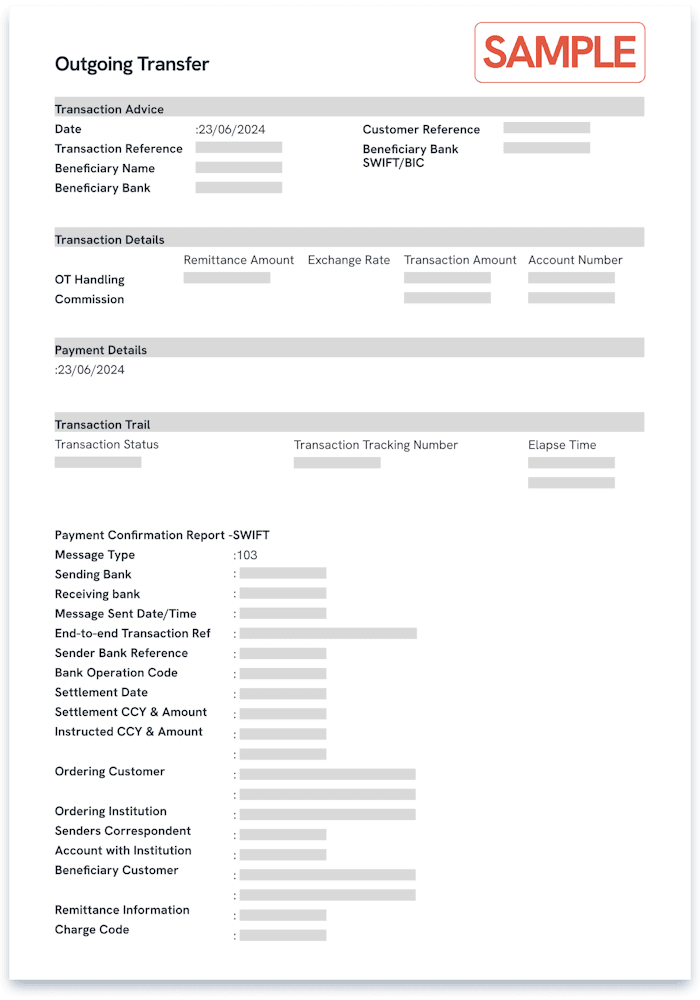
The appearance of an MT103 that the customer gets after the request can vary by bank, but it must include a SWIFT payment message that provides tracking information for the payment destination.
The following image is an example of what an MT103 might look like.
That’s all for now on “How Does an MT103 Work?” Kindly share if you find this article helpful.
MT103 Swift Flash Funds Payment With GPI Automatic to carryout seamless MT103, MT202, MT700, MT760, MT799, MT199 and more cash transfer, credit transfer, GPI automatic, IPIP/IPID and DLC with custom CIS.
MT103 SWIFT UETR
MT103 Flash funds system is a software cyber criminals use for Flash funds to carry out fraudulent bank payments for business deals, purchases, goods and services on internet or in person mostly to people that doesn’t know their true identity depending on which criminal and what circumstance of the payment,
Majority of these cyber criminals use this nowadays for P2P payments for digital currencies such as bitcoin, USDT and other digital currencies that are being traded on digital exchanges,
With MT103 flash funds software these criminals are able to make payments of millions of dollars that their victims can never be able to withdraw from the account the money is deposited after some designated duration of time, using this as a weapon to plunge so many businesses into bankruptcy, to this day across over one hundred (100) countries in the world.
Cyber criminals commit bank fraud with this MT103 flash funds software, they can easily send payment of $1,000 and above to any bank account and the beneficiary (their victim) will receive it instantly as local payment or within three (3) business days as swift/foreign wire transfer (cross boarder) payment.
Does Flash Funds reflect on bank account available balance?
This specific flash funds payment these cyber criminals carry out actually reflects on available balance of their victims, the answer to this question is yes. it reflects on bank account available balance,
Breakdown Of Flash Funds Reflection on Bank Account Available Balance
For an example, you are their victim who they have targeted and you already have one hundred thousand dollars ($100,000) in your bank account as current available balance then the cyber criminals sends you twenty thousand dollars ($20,000) to your bank account, upon the arrival of the inward payment inflow to your bank account the current available balance of your bank account will be updated to one hundred and twenty thousand dollars ($120,000). This is how the flash funds reflection on available balance occurs when these cyber criminals initiate the flash funds transaction.
How Cyber Criminals Make Fortunes With Flash Funds
They will engage in a contract or business partnership with their unsuspecting victims, either you’re selling goods, or you’re offering a service, most of them dwell on crypto exchange, they buy crypto currency (a digital asset) and pay with flash funds,
Further BreakDown of How Cyber criminals buy crypto with flash funds
They (buyer) will appear as buyer of your digital asset while some will use it to for other various things and after they pay their victim (seller) of digital which the victim confirms payment has been received and releases the digital asset to the buyer (the cyber criminal) that’s it, whatever issue with payment and withdrawal that comes up next or afterwards is all on the victim to deal with leading to thousands of their victims all over the world losing so much money and going bankrupt.
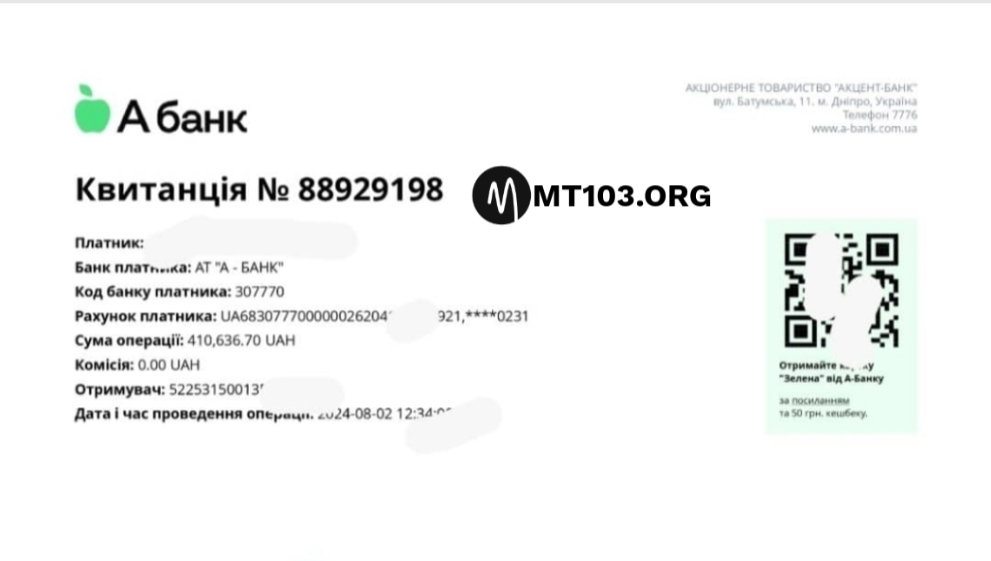
Completed Flash Funds Transaction Snippet
How P2P Digital Crypto Traders Lose Millions To Flash Funds Scams
These cyber criminals will open a trade as buyer of digital asset from their unsuspecting victims on any platform such as Inflowbit, Binance, Kucoin, Paychatik and more, after they open trade to buy Bitcoin or USDT they will then pay their victim (seller of digital asset) which the victim will confirm receiving payment from the cyber criminal and releases the digital asset to the buyer (cyber criminal) that’s it,
What Happens After That?
whatever happens or issue with the payment and withdrawal that comes up next or afterwards is all on the victim to deal with, this has led many to huge loss all over the world making many of their victims to lose so much money in such wired advanced scam.
After the banking system flags the transaction (Flash funds payment), the transaction will be rejected leading to beneficiary having issue with bank and losing both funds and bank account.
MT103 Swift Flash Funds Payment With GPI Automatic
2 Types of Flash Funds
There are many types of flash funds and they all vary from MT103 type to MT202 type ranging from different methods by wares, it all depends on what the scammer that is targeting anyone/whoever is using,
Types of Flash Funds Break Down:
Local Payment (NIP/INTER-Bank/National): local payment is when you pay to someone in South Africa and you are also living in South Africa, then you want to pay the person (local payment). In this case, the flash funds will reflect instantly after it’s initiated by you.
Cross Boarder Payment: cross boarder payment is when you live in India or any other country in the world and you want to pay someone in Australia, it can be tagged “Swift Payment”, in this case, the flash funds payment will not reflect instantly because it is a cross boarder payment. It will take 2 to 3 business days to arrive to receiver bank account available balance.
Most of this scammers in P2P use this, set this payment, configure it using the swift flash funds payment software.
Security Of Flash Funds
Most of these criminals don’t use security for it while some does, depending on the particular software the criminal is using because some of these softwares they use are built with security as one of the priorities for these cyber criminals.
If you are an active P2P crypto trader/user you must have encountered a situation whereby someone buys digital asset from you and paid, afterwards bank blocks your bank account and tagged it “suspected of fraudulent activity” or the payment you actually confirmed by yourself with your very own clear eyes is no where to be found anymore in your account, if you’re experienced crypto trader you must have experienced this.
If you have experienced it, there’s ninety nine percent plus probability that the person is a scammer and whoever the person was used flash funds software to pay you, most of the Fake bank alert apps they use can be found on public domains while the flash funds softwares are not found on public domains.
Where Does Cyber Criminals Get Flash Funds Softwares?
We have no much idea, from the little we know and from our team’s research so far, I can only list few platforms they use;
FlashFunds.co (FFCO) – this software gives cyber criminals more ability to do more harms to innocent unsuspecting victims of their malicious activities such flash funds (flashing money that will reflect on the bank account available balance of their victims), taking out money from people’s cards, hacking, cloning and many more.
Most of these scammers use this that comes with offshore account to receive payments, learn more here on how scammers use offshore bank account to receive payments from abroad and understand how to play safe, They’re able to receive fraudulent payments from their victims or scams partners from abroad using offshore bank account because it provides them offshore bank accounts for them to use,
Do they have full access to the offshore bank accounts?
Yes, they do have full access to the accounts such as internet banking and mobile app banking, pin, password and e-mail address. whenever they receive payment to these accounts they mostly use it to buy digital assets such as Bitcoin or USDT stable token while some will transfer it and use it as they please.
How MT103 Swift Flash Funds Works
The flash funds with encryption is a way of scrambling payment so that the banking system can only verify the authencity of the payment after a designated time frame. The banking system will process the payment in hibernation but will intercept it when the designated time frame has elapsed. In this way, the payment will be rejected and user balance will not remain updated.
The MT103 flash funds payment system works by establishing payment in an encryption flow between the beneficiary banking system and the MT103 flash funds server. (MFFS often use the JOIPsc or SVVER/PYTT protocols.) All outflows from the system are to be checked of authencity after designated timeframe,
Does Flash Funds Require VPN?
It has an inbuilt VPN security and it is highly recommended to turn off all VPN or securities on computer the software is running on, the VPN connections remain private. Imagine josh paying itrona from Canada to Holland using his MT103 flash funds software, the VPN connects automatically so that he can infiltrate the beneficiary bank server that is in a foreign land away. Suppose all of his payments to the beneficiary, as well as the database’s responses, travel through an intermediate Internet exchange point (IXP).
MT103 Swift Flash Funds Payment With GPI Automatic
Now suppose that the criminal (Josh) has already infiltrated this IXP and his payment is passing through a secure connection because of the VPN. All the bank can see is an inflow and will record it because banking system works with records and this inflow is incoming in an encrypted mode that can’t be detected but after the designated time frame the inflow (payment) will be rejected and tagged failed or user account will be deemed (engaging in fraudulent activity) which will be a move for the bank to block the account terminating future risks.
Flash Funds using the MT103 Payment System is not limited to only flashing money into bank account available balance, it can also be used to funds your sports betting account, the following screenshot of a sports betting account funding got flagged and rejected by the banking system after a designated time.
MT103 LOG For Direct Wire Deposit Transfer. Firstly, MT103 is a standardized SWIFT payment message used specifically for cross border/international wire transfers and local payments.
We use SWIFT for all payments made via MT103 swift payment system while MT202 is for inter bank to bank payment which can generally be tagged local payment.
Is MT103 Wire Logs Deposit Globally Accepted?
Our MT103 and MT202 wire LOGs are globally accepted as proofs of payment and include all payment details such as date, amount, currency, sender and recipient.
Can I Be Able To Provide MT103 Or MT202 Proof Of Payment?
Once your payment has been dispatched, you can retrieve your MT103 by logging into your mt103 payment program account, find the completed payment from the history and click ‘View’. Your MT103 will appear at the bottom of the record. There’s even a ‘copy to clipboard’ function so you can forward it to your recipient and option to generate receipt.
Use the table below to view the definition of the MT103 fields;
20
Transaction Reference Number
23B
Bank Operation Code
32A
Value Date / Currency / Interbank Settled
33B
Currency / Original Ordered Amount
50A
Ordering Customer (Payer)
52A
Ordering Institution (Payer’s Bank)
53A
Sender’s Correspondent (Bank)
54A
Receiver’s Correspondent (Bank)
56A
Intermediary (Bank)
57A
Account with Institution (Beneficiary’s Bank)
59
Beneficiary
70
Remittance Information (Payment Reference)
71A
Details of Charges (BEN / OUR / SHA)
72
Sender to Receiver Information
77B
Regulatory Reporting
You will have confirmation that your payment has been sent, including all the important details such as recipient information and payment amount which will serve as a valid proof of payment, whether to send to a supplier to serve as proof of payment or to accounts.
Buy MT103 Direct Wire Deposit LOGs
If you need MT103 Direct Wire Deposit LOGs then do not hesitate to contact us right away today, use any of the below means of contact to reach out to us, tell us the country and amount of log you want.
It is worth noting that SWIFT gpi is a newer initiative to modernise cross-border payments. MT103 is a message (a document) confirming the payment was sent. SWIFT gpi, on the other hand, is a tracking system/network upgrade that allows end-to-end visibility in real time.
If we use a courier analogy, MT103 is like your shipment receipt and tracking number, whereas SWIFT gpi is the online tracking system you plug that number into, to see exactly where the package (payment) is.
Many banks now embed the UETR from SWIFT gpi into the MT103 message itself, effectively linking the two. The table below summarises it:
Features And What It Is
SWIFT GPI: Real-time payment tracking across banks (status updates)
MT103: Confirmation of payment sent (receipt with details)
What Is Generated ?
SWIFT GPI: Throughout the payment journey (continuous updates)
MT103: At the time the payment is initiated (one-time message)
What Info Does It Include?
SWIFT GPI: Yes – updates like “in transit”, “credited” etc., often via UETR
MT103: Contains reference numbers (including UETR) and all details, which can be used to track manually
The User Access
SWIFT GPI: Banks (and sometimes customers through portals) can check live status
MT103: Customers use it for proof and can give it to banks to trace a payment manually
MT103 is like your proof that something was sent (and gives you the reference to track it), and SWIFT gpi is the technology that can show you exactly where it is in transit. If your bank supports SWIFT gpi, you may not even need to request an MT103 to know the status – some banks let you see the progress via online banking. But if not, having the MT103 and contacting the bank is the way to trace the payment.
For more information or inquiry kindly contact our support.
![PACS.008 [MT103]: ISO 20022 SWIFT MX message Guide](https://mt103.org/wp-content/uploads/2025/12/images-79.jpeg)